
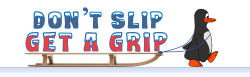
Thanks to Matt Baines in Operational Excellence for producing a new set of email signature graphics for us to start using in January, helping to remind us to stay safe!
We have a choice of files for you to use, either static images or small file size gifs.
You can download them from the UK News download page here: New Year Email Signature static (1209 downloads ) New Year Email Signature static (1238 downloads ) New Year Email Signature gif (1215 downloads ) New Year Email Signature gif (1268 downloads )
How to edit your email signature:
- In outlook > File > Options > Mail > Signatures
- Click below your name/details to set where you want to position the image or gif
- Click the icon (second icon from end on formatting bar
- Navigate to where you have downloaded image/gif
- Select – this will insert file into signature
- Click OK