
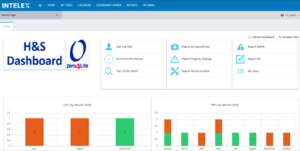
To help everyone stay safe and make reporting easier, we’re introducing Intelex Tips—a series of simple, step-by-step guides designed for all Intelex users across our operations.
This week’s guide is: How to Raise, View & Close NMHAs
You can access it HERE: Intelex Guide to raising NMHA’s
Keeping each other safe is everyone’s responsibility and reporting Near Miss & Hazard Alerts (NMHAs) is one of the most effective ways we can both prevent incidents before they happen, or learn from incidents.
To support teams across our operations, we’ve created a simple, step?by?step Intelex Guide on NMHAs, covering everything from logging in to raising alerts on both desktop and mobile.
The guide walks you through:
- How to access Intelex
- How to raise an NMHA (desktop and mobile)
- How to view and search existing NMHAs How to close out an NMHA
- How to close out an NMHA
- How to use the Intelex mobile app on iOS and Android
- Quick access via ‘My Tasks’
This resource is designed to make reporting quicker, easier and more consistent across all sites.